
Pay by FPS
用 FPS 轉數快付款點操作? / How to pay by FPS (轉數快)
想用 FPS 轉數快畀錢?好簡單,跟住以下步驟就得。
Prefer to pay by FPS? Here's the whole flow, step by step.
註:信用卡 / Apple Pay / Google Pay / Shop Pay 依然係預設付款方式,即買即過數。FPS 轉數快付款係額外選擇,畀鍾意用轉數快嘅你。
Note: Card / Apple Pay / Google Pay / Shop Pay stay the default and confirm instantly. FPS scan-to-pay is an extra option for those who prefer it.
1. 結帳時揀「FPS 轉數快 (Scan to Pay)」 / Choose "FPS (Scan to Pay)" at checkout
喺付款方式嗰度,揀呢個選項,然後落單。系統會幫你開一張未付款嘅訂單。
Select this method at the payment step and place your order. This creates an unpaid order — it is not confirmed yet.
2. 記低訂單號碼或確認碼,其中一個就得 / Save your order number or confirmation code — either one is enough
落單完成頁最頂會顯示「確認 #AB12CD34E」呢類字眼,後面嗰組英文字母加數字就係確認碼。記低佢,之後連付款收據一齊 WhatsApp 畀我哋。如果你有訂單號碼(例如 #1234),用嗰個都得,唔使兩個都傳。
At the top of the page you see after placing your order, there's a confirmation code made up of letters and numbers, such as #AB12CD34E. Save it and include it when you send us your payment receipt on WhatsApp. You can use your order number instead (e.g. #1234) — you only need one of the two.
3. 用 FPS 轉數快畀錢 / Pay by FPS
方法一 — 手機最快,免掃碼 / Easiest on mobile — no scanning:
打開你嘅銀行 App → 揀「轉數快 / FPS」→ 輸入下面個 FPS ID → 收款人會自動顯示 CAPRA HK LIMITED → 自己入準確總額。
Open your banking app → choose “FPS / 轉數快” → enter the FPS ID below → payee shows as CAPRA HK LIMITED → type the exact total.
方法二 — 掃 QR / Or scan the QR:
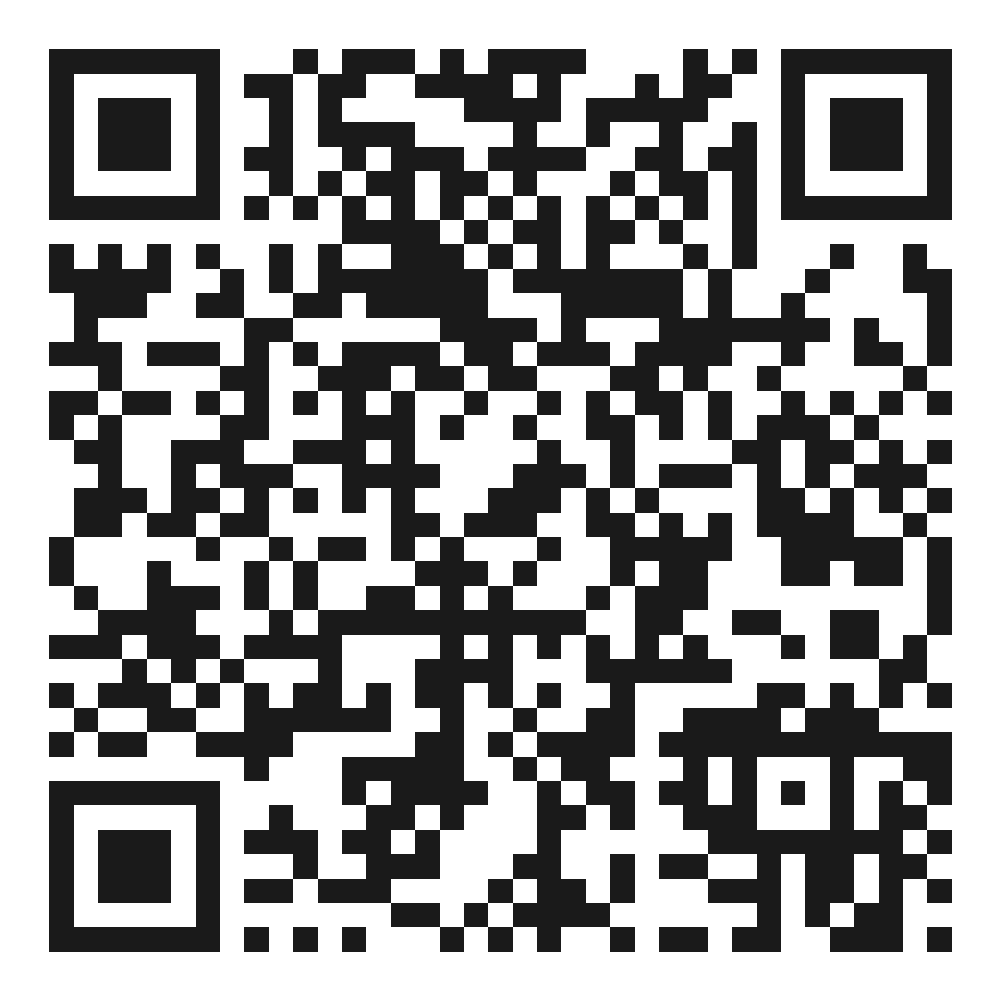
用銀行 App 嘅「掃一掃」掃下面個 FPS QR。用緊同一部手機睇緊呢頁?長按個 QR 儲存做相,再喺銀行 App 揀「相簿掃描」就得。
Scan the FPS QR below with your banking app. Viewing on the same phone? Long-press the QR to save it, then use “scan from album” in your banking app.
💡 提示 Tip:畀錢嗰陣,如果你嘅銀行 App 有「附言 / Reference / 給收款人的訊息」一欄,可以順手填埋你個訂單號碼(或確認碼),我哋對賬會快啲(但最緊要仍然係下面 WhatsApp 嗰步)。
When you pay, if your banking app has a Reference / Message field, add your order number (or confirmation code) there too — it speeds up our matching (the WhatsApp step below is still the main one).
4. ⚠️ 自己入返準確嘅訂單總額 / ⚠️ Enter the EXACT order total yourself
個 QR 碼唔會自動鎖死銀碼,所以你要自己手動輸入同訂單一模一樣嘅總數(連運費,如有)。入錯銀碼會拖慢核對。
The QR does not lock the amount, so type in the exact order total yourself (including shipping, if any). A wrong amount slows down verification.
5. 完成付款,影低收據 / Pay, then screenshot your receipt
過數成功後,截圖你銀行嗰張 FPS 交易收據(要見到銀碼、時間)。
Once paid, screenshot the FPS transaction receipt from your bank app (amount and time must be visible).
6. WhatsApp 張收據畀我哋,記住打埋訂單號碼或確認碼 / WhatsApp the receipt to us — with your order number or confirmation code
撳呢條 link 開 WhatsApp 👉 wa.me/85251372966,send 張截圖,訊息入面一定要寫埋你嘅訂單號碼(例如 #1234)或確認碼(例如 #AB12CD34E),其中一個就得。唔該晒!
Open WhatsApp here 👉 wa.me/85251372966, send the screenshot, and include either your order number (e.g. #1234) or confirmation code (e.g. #AB12CD34E) in the message — one is enough.
7. 我哋核對真實入賬,確認訂單 / We verify the real payment and confirm
我哋會對返銀行嘅真實 FPS 入賬記錄(銀碼、付款人、時間、訂單號)。一核對到,就會將訂單確認做「已付款」。
We check the actual incoming FPS payment in our bank records (amount, payer, time, order #). Once it matches, we mark your order paid and confirmed.
🕐 我哋會盡快核對(通常同一個工作天內);繁忙時段最遲下一個工作天。
We verify as soon as we can (usually the same business day); next business day at the latest when busy.
8. 安排送貨或預約自取 / Delivery or pickup by appointment
付款確認後,我哋一般會喺 2–4 個工作天內完成備貨及寄出;呢段時間唔包括物流運送。揀送貨嘅話,寄出時你會收到出貨通知。揀新蒲崗預約自取嘅話,我哋備好貨會通知你;收到通知之後,請先約時間再上嚟取貨。訂單滿 HK$1,000 免運費。🖤
Once payment is confirmed, we usually prepare and dispatch your order within 2–4 business days, excluding transit time. For delivery, you will receive a dispatch notice when it ships. For pickup in San Po Kong, we'll let you know when your order is ready — please arrange a collection time with us before visiting. Free shipping on orders HK$1,000 and up.
幾個你想知嘅嘢 / Good to know
點解要寫訂單號碼或確認碼? / Why do I need to include my order number or confirmation code?
因為兩張唔同訂單可以啱啱好同一個價錢,單靠銀碼我哋分唔到邊張係邊張。我哋靠訂單號碼或確認碼搵返你張單、核對付款,所以 WhatsApp 一定要寫其中一個,唔使兩個都傳。
Two different orders can happen to cost the same, so the amount alone can't tell them apart. We use your order number or confirmation code to find your order and check your payment — please include one of them (you don't need both).
幾時要去付款頁睇 QR? / When do I look at the QR?
只要你結帳揀咗「FPS 轉數快 (Scan to Pay)」先需要睇。如果你係用信用卡 / Apple Pay / Google Pay / Shop Pay,你已經畀咗錢,唔使理掃碼步驟。
Only if you chose FPS (Scan to Pay) at checkout. If you paid by card / Apple Pay / Google Pay / Shop Pay, you're already paid — ignore the scan-to-pay steps.
我落咗單但未過數,張單會點? / I placed the order but haven't paid yet — what happens?
未付款嘅訂單只會保留 24 小時。過咗都未收到你嘅付款,我哋會取消張單,件貨會放返出嚟畀其他人買。想要就快手過數同 send 收據啦。
Unpaid orders are held for 24 hours only. If we don't receive payment by then, we cancel the order and the item is released for others. Pay and send your receipt promptly to keep it.
我畀完錢就即刻 confirm? / Am I confirmed the moment I pay?
唔係即時。我哋要核對到真實入賬先會確認。多謝你體諒,呢個係保障緊買賣雙方。
Not instantly — we confirm only after the real payment is verified. Thanks for your patience; this protects both you and us.
需要幫手?WhatsApp 我哋:wa.me/85251372966 · IG @bullkicks.hk
Need help? WhatsApp wa.me/85251372966 · IG @bullkicks.hk
不完美,才是真實。